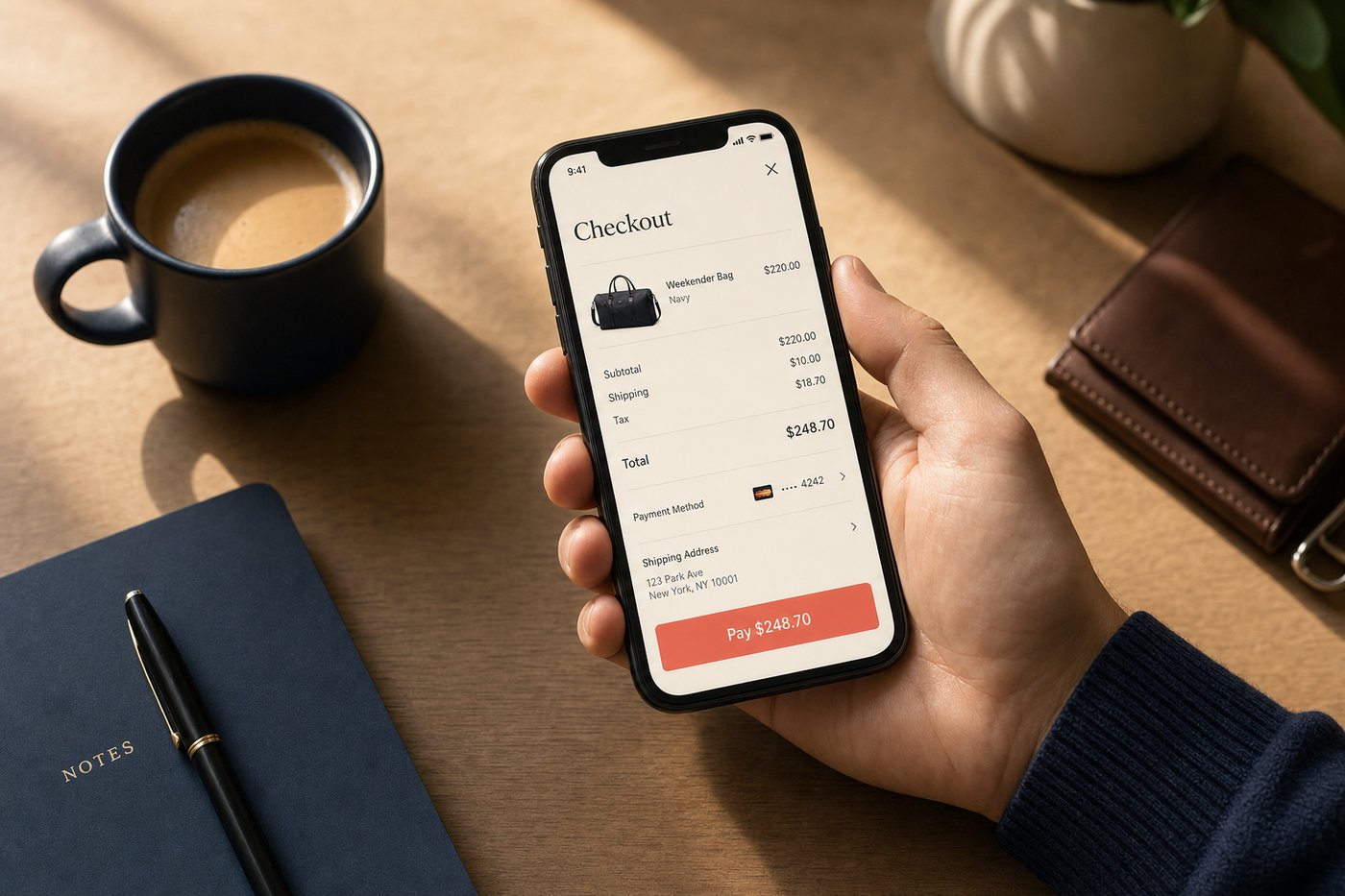
Most American shoppers have been through the drill: add something to a cart, tap checkout, and then spend the next two minutes hunting for a credit card, typing a billing address, and wondering whether the site is actually secure. That experience, familiar as it is, is already becoming obsolete. Mobile checkout has grown into a layered system of saved credentials, tokenized payments, and one-tap authentication — and understanding how it works helps shoppers make smarter choices about speed, safety, and where they give their data.
The shift happened faster than most people noticed. In 2019, roughly one in three US e-commerce dollars came through a mobile device. By 2024, that share had crossed 50% by most industry estimates. The infrastructure supporting those transactions — digital wallets, accelerated checkout buttons, device-native authentication — developed alongside that growth and now represents a genuine technological achievement: a checkout process that is simultaneously faster and more secure than the alternatives it replaced.
What it is / How it works
Mobile checkout is the process of completing a purchase on a smartphone or tablet, from reviewing a cart through to payment confirmation. Unlike desktop checkout — which traditionally required typing card numbers and billing details into form fields — mobile checkout systems are built around stored credentials, device-based authentication, and digital wallets that auto-fill every required field.
The core mechanic is simple: a shopper saves their payment method once (inside Apple Wallet, Google Wallet, Shop Pay, PayPal, or directly with a retailer), and from that point forward the device handles authentication. The merchant's server communicates with the wallet provider, which returns a one-time payment token rather than the raw card number. The bank authorizes the token, and the order is placed — often in under ten seconds.
Accelerated checkout buttons such as Shop Pay, Apple Pay, and Google Pay sit directly on the product page or cart page, bypassing the multi-step checkout flow entirely. Shopify reports that Shop Pay checkouts convert up to 50% faster than standard guest checkout, a figure that illustrates just how much friction a traditional checkout adds. The average traditional checkout form contains about 11.8 fields; an accelerated checkout reduces that to zero manual entries for returning customers.
The mechanics
Tokenization
When you add a card to a mobile wallet, your real card number is replaced by a device-specific token called a Device Account Number (DAN) or a network token. This token is what actually travels to the merchant's payment processor. Even if a breach exposed the merchant's transaction logs, the token is worthless without the corresponding device and authentication. Apple Pay has used this approach since its October 2014 launch across more than 11,000 bank and network partners, and it is now standard across every major mobile wallet.
The token itself is paired with a one-time transaction code generated fresh for every payment. This combination — a device-specific token plus a single-use transaction code — means that each authorization produces a unique data string that cannot be replayed or reused by anyone who might intercept it. It is a substantially stronger security model than the static card number printed on the front of a physical card, which can be skimmed, photographed, or lifted from a data breach and used indefinitely.
Authentication layers
Mobile checkout typically requires at least one authentication step before a payment is sent. On Apple devices, that is Face ID, Touch ID, Optic ID, or a passcode. On Android, fingerprint or face unlock is common. Apple cites a false match probability of approximately 1 in 1,000,000 for Face ID — a security margin that no PIN-only system approaches. For services like Shop Pay, a six-digit SMS code provides a second factor for new devices, ensuring that even someone who knows your email address cannot add your payment credentials to a different device.
This layered approach — biometric on the device, SMS verification for new devices, tokenization at the payment layer — creates multiple independent barriers. Defeating any one of them is not sufficient; an attacker would need to bypass all of them simultaneously.
Accelerated checkout flows
Services like Shop Pay, Apple Pay at checkout, and PayPal One Touch go further by pre-filling not just payment details but also shipping addresses, email addresses, and sometimes even gift-wrapping or delivery preferences. Shop Pay stores up to 10 credit cards and 20 shipping addresses per account, so even heavy shoppers with multiple delivery locations stay covered without any re-entry.
The conversion impact of removing this friction is real and measurable. Shopify reports that buyers using Shop Pay have a 9% higher repurchase rate compared to other checkout methods — a statistic that reflects how a smoother checkout experience builds shopping habit. Business Insider noted that in 2021 Shop was the third-most-downloaded shopping app in the US with 30 million downloads, driven substantially by the quality of that checkout experience.
Order confirmation and receipts
After authorization, most mobile checkout systems send an immediate push notification and email confirmation. Apps like the Shop app go further by automatically scanning email inboxes (with permission) to detect tracking numbers and surface real-time shipping updates — a convenience discussed in more depth in our order tracking apps guide. Digital receipts stored in Wallet or in a shopping app replace paper slips and make returns simpler to manage — see our digital receipts guide for a full breakdown. The confirmation is no longer a static document; in capable apps, it becomes a live dashboard for the order's journey from fulfillment to doorstep.
Real-world examples
Consider a shopper buying a pair of sneakers from an independent brand on Shopify. They visit the product page on their iPhone, tap "Buy with Shop Pay," authenticate with Face ID, and receive an order confirmation in about eight seconds. The merchant never sees the raw card number; the shop receives a tokenized authorization from Shopify Payments. The shopper later opens the Shop app to watch the package move from warehouse to doorstep — all without creating an account on the brand's site. The entire experience, from discovery to confirmed purchase, happens within a single browsing session.
A second scenario: the same shopper buys from a major retailer using Apple Pay at checkout. The experience is nearly identical — one tap, Face ID, done — but this time the wallet is Apple's, and the token is routed through the card network's infrastructure rather than Shopify's. Both flows rely on the same underlying tokenization principle, but the wallet ecosystem behind them differs. Understanding which wallet is powering which transaction matters if a dispute arises: the dispute goes to your card issuer in either case, but the wallet provider may have additional buyer protection policies worth reading.
For larger purchases, some shoppers turn to BNPL options embedded directly at checkout. Shop Pay Installments, powered by Affirm, lets shoppers split purchases between $50 and $30,000 into interest-free or low-interest payments without leaving the checkout screen. Our Buy Now, Pay Later guide covers those mechanics in full detail, including how to compare interest rates and understand the total cost before committing.
What to watch out for
Mobile checkout is generally safer than typing card numbers into web forms, but a few risks deserve attention. Phishing sites can mimic real retailers and present convincing payment pages; always check the URL carefully before tapping Pay. A convincing fake can replicate the visual appearance of a checkout page — including a fake Apple Pay button — while capturing your credentials. The safeguard is the URL bar, not the page design.
Saved credentials in a wallet service mean that anyone who can unlock your phone has access to your payment methods. Strong lock-screen authentication — and especially biometric options — is therefore not optional if you use mobile wallets regularly. This topic is covered thoroughly in our mobile wallet security guide, which explains tokenization, biometric authentication, and what to do if a device is lost or stolen.
Some accelerated checkout services share purchase data with their parent companies for personalization and analytics. Reading the privacy policy of your wallet provider — covered in our shopping app privacy guide — takes about five minutes and can clarify exactly what is collected, how it is retained, and who it is shared with.
Practical tips
- Enable biometric authentication on any wallet app you use. Passcode-only protection is weaker if a thief observes you entering your PIN in public. Face ID or fingerprint is meaningfully stronger for payment protection.
- Use different cards for different risk levels. Some shoppers keep a low-limit card in their mobile wallet for day-to-day purchases and a separate card for large transactions. If the wallet card is compromised, the exposure is contained.
- Check receipts promptly. If a charge looks wrong, dispute it within the billing cycle. Tokenized payments still go through your card issuer for fraud protection — the tokenization does not change your rights as a cardholder.
- Keep wallet apps updated. Security patches are released frequently, and an out-of-date app may carry known vulnerabilities that have since been addressed in a newer version.
- Review saved addresses periodically. Old delivery addresses left in a checkout account can slow you down — and reveal where you used to live to any service that stores full transaction histories.
- Understand your dispute rights. Payments made through Apple Pay, Google Wallet, and Shop Pay are still processed by your underlying card issuer, which means all standard cardholder protections apply. Familiarize yourself with your card's dispute window — typically 60 days from the statement date.
Where to learn more
For a deeper look at the security side of mobile payments, our mobile wallet security basics guide explains encryption, tokenization, and what to do if your device is stolen. Our biometric payments guide covers the Face ID and fingerprint technology that protects transactions at the device level. If you are curious how Shop Pay specifically handles the checkout experience, the Shop App review covers the feature set in full. For a side-by-side look at how Shop Pay and Apple Pay compare at checkout, see our Shop Pay vs Apple Pay comparison. And for a look at how Buy Now, Pay Later is increasingly embedded in the checkout flow, our BNPL guide explains the options available at the payment step.