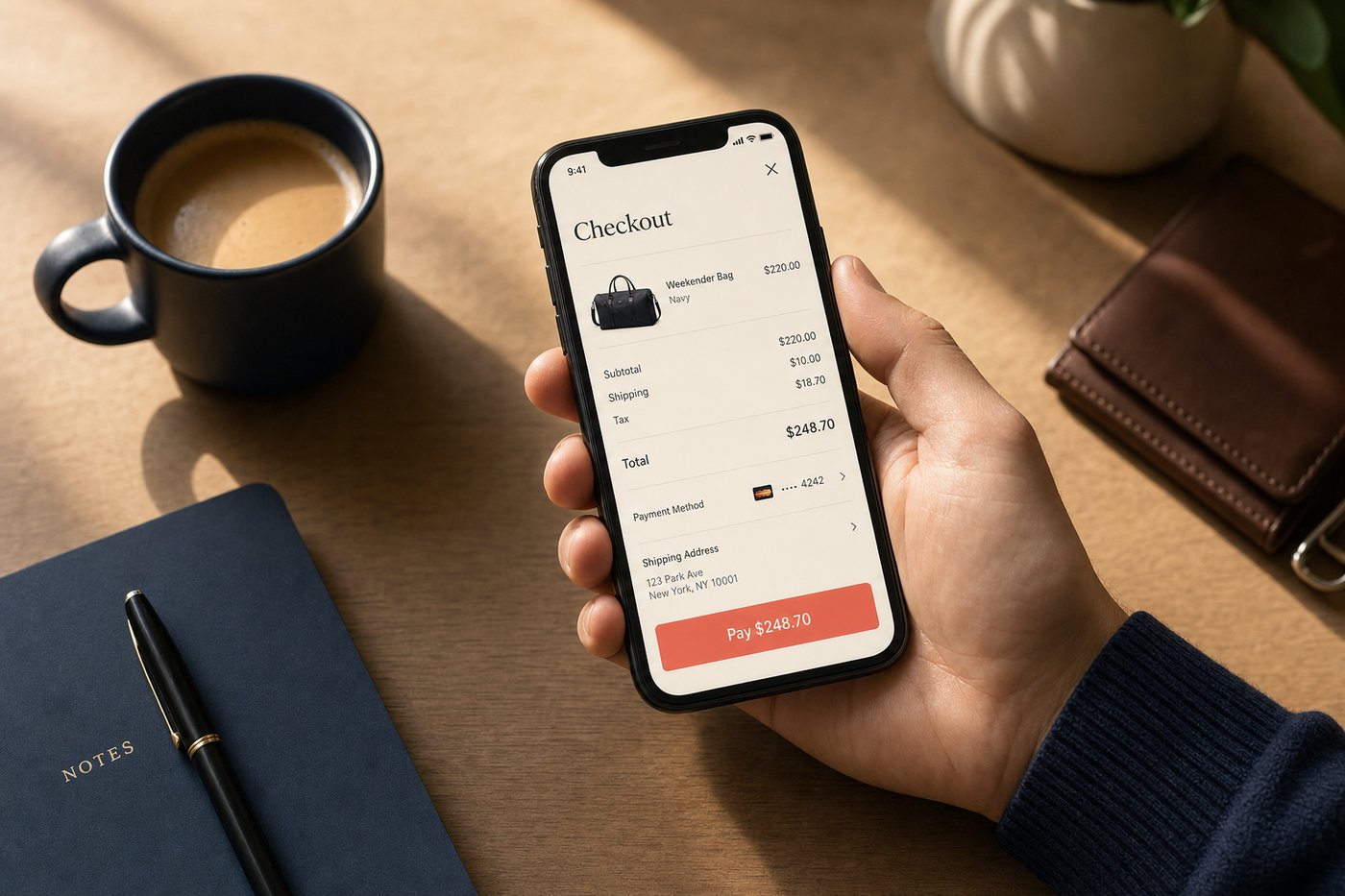
The paper receipt has had a long run. For more than a century, the printed slip in the shopping bag served as the definitive record of a transaction — proof of purchase, warranty documentation, and return authorization all in one flimsy strip of thermal paper that fades within weeks and accumulates in wallets until it becomes an archeological record of every coffee and gas station stop from the past six months. Digital receipts are now replacing it, and the best implementations do substantially more than simply eliminating clutter.
The shift toward digital receipts has been accelerating. The Walmart app's eReceipt feature stores itemized in-store receipts automatically when Walmart Pay is used at checkout. The Shop app turns email order confirmations into live tracking timelines. Apple Wallet maintains a transaction history for every Apple Pay purchase. Target's app archives purchases so thoroughly that a Target Circle member can return an item purchased months ago without any receipt at all, because the transaction history is indexed by account. These are not marginal improvements over paper; they are category advances.
What it is / How it works
A digital receipt is an electronic record of a completed transaction. It may arrive as an email order confirmation, as a notification inside a shopping or wallet app, as an in-app transaction entry, or as a record generated automatically from a payment method. Unlike paper receipts, digital receipts can be searched by keyword or date, stored indefinitely without fading, forwarded to an employer for expense reimbursement, or retrieved months after purchase without anxiety about lost or illegible printouts.
The simplest form is an email order confirmation — the automatic message that arrives after any online purchase. More sophisticated implementations push a structured, app-native receipt to a specific location in a wallet or shopping app, where it is linked to the payment method, the items purchased, and in some cases the delivery status. The latter is a fundamentally different kind of receipt: dynamic rather than static, with live shipment data embedded alongside the order details.
The mechanics
Email receipts
Email remains the most common digital receipt format. When an online order is placed, the retailer's order management system generates a structured confirmation email containing the order number, itemized purchase details, shipping address, payment method used (typically masked), and the order total. Most email clients can search these receipts by retailer name, order number, or item description — which is far more useful than sorting through a physical receipt pile.
Apps like the Shop app scan connected Gmail and Outlook inboxes (with the shopper's permission) to identify order confirmation emails and use them to generate tracking timelines. A static email becomes an active shipment status view that updates automatically as the package moves through the carrier network. This transformation from passive record to live dashboard is one of the most practically useful things a modern shopping app can do with receipt data. Our order tracking apps guide covers how this email-parsing process works in detail.
In-app transaction histories
Shopping apps and wallet services maintain running transaction logs that function as searchable receipt archives. PayPal's transaction history goes back years and shows each purchase with merchant name, amount, date, and payment method. Apple Wallet's recent transaction view captures the last several transactions per card. The Walmart app's eReceipt feature stores fully itemized receipts from in-store Walmart Pay transactions, making it possible to review exactly what was purchased at any Walmart trip — useful both for personal budget tracking and for item-level returns.
These in-app histories have a practical advantage over email receipts: they cannot be accidentally deleted by clearing an inbox, cannot be marked as spam and missed, and do not require searching through an inbox to find. They are purpose-built receipt archives rather than receipts stored in a general-purpose communication tool.
Wallet-integrated receipts
More recent implementations push receipts directly into a wallet or shopping app interface at the moment of purchase, before the shopper has left the checkout flow. After a Shop Pay checkout, the order appears immediately in the Shop app with itemized detail, estimated delivery window, and tracking — effectively bundling the receipt and the fulfillment status into a single view. This approach is more immediately useful than a standalone email because it surfaces contextual information (the package's current location) alongside the purchase record (what was bought and for how much).
Some retailers have extended this model to in-store purchases as well. The Target Circle app allows members to retrieve purchase history for any transaction made while logged into their Target account, regardless of payment method. A member can walk into any Target store and process a return by pulling up the app's transaction history — no paper receipt, no email, no reference number needed. This is the receipt as account record rather than the receipt as physical artifact.
Returns and digital receipts
Returns are where the practical advantage of digital receipts over paper is most clearly demonstrated. Most major retailers now accept email order confirmations or app-based purchase records as proof of purchase. Retailers with robust loyalty and account systems — Target, Walmart, Amazon, and others — can look up transactions by account without requiring any receipt form at all. For online purchases, the order number in the email confirmation is typically sufficient for in-store returns. Our Target Circle review covers in detail how Target's account-based return process works for Circle members.
For warranty documentation, digital receipts have an important advantage: they do not fade. A thermal paper receipt for a major appliance purchased three years ago is likely illegible. The email order confirmation for the same purchase, or the in-app record if the purchase was made through a retailer's own platform, remains perfectly legible and searchable indefinitely. For any purchase with a multi-year warranty, storing the digital receipt in a dedicated folder or downloading it as a PDF is a worthwhile five-second task.
Real-world examples
A shopper buys office supplies at Walmart using Walmart Pay at the in-store checkout. The Walmart app generates an eReceipt immediately after the transaction is authorized — an itemized record stored in the app's history, accessible at any time. A week later, one item needs to be returned. The shopper opens the Walmart app at the service desk, finds the eReceipt in the transaction history, and the return is processed in under two minutes without any paper or email search involved.
A freelance designer uses a dedicated email address for all work-related purchases and connects it to the Shop app for tracking. Every business purchase generates an email receipt to that address. At the end of each quarter, the designer searches the inbox by date range and exports all purchase confirmations for expense reporting. The receipts are organized, searchable, and complete — a task that previously required a physical folder and deliberate manual filing.
A third scenario: a shopper purchases a laptop online and receives an email order confirmation with the full itemized details including the warranty terms. They save the email to a "Receipts — Electronics" folder in their email client and also save a PDF of the confirmation to cloud storage. Two years later, when the laptop develops a hardware issue, the purchase date is immediately verifiable — the warranty claim is processed the same day.
What to watch out for
Digital receipts come with their own privacy considerations. Retailers who collect email addresses for receipt purposes often use them for marketing — and unsubscribing from one marketing list can be more complicated than simply not providing the address in the first place. Some point-of-sale "email receipt?" prompts are effectively marketing list opt-ins combined with receipt delivery. Providing a receipt-specific email address (rather than your primary inbox) mitigates this: the marketing traffic goes to a dedicated address you check less frequently, while your primary inbox stays clean.
Email receipts in an inbox are only as secure as the email account itself. A compromised inbox exposes purchase history, shipping addresses from order confirmations, and information about payment methods used (though not full card numbers, which are masked in receipts). Treating a shopping-specific email account with the same security discipline as a financial account — strong unique password, two-factor authentication — is a proportionate response. For broader guidance on data privacy in the shopping context, our shopping app privacy guide covers what retailers collect and what options shoppers have.
Practical tips
- Use a dedicated email address for shopping. Keeping purchase confirmations in a separate inbox makes them easier to search, limits your primary address's exposure to retailers, and isolates any marketing traffic to a controlled location.
- Enable in-app receipt storage where available. Walmart Pay eReceipts, Apple Wallet transaction records, and Shop app order histories are more reliably accessible than email inboxes and purpose-built for receipt retrieval.
- Download receipts for high-value purchases. A PDF copy of the order confirmation, stored in a secure folder or cloud drive, provides a backup if an account is closed, an app is discontinued, or an email is lost. For any purchase with a manufacturer's warranty, this takes about ten seconds and can matter years later.
- Connect a tracking app for online orders. Services like the Shop app turn email receipts into live tracking timelines automatically, adding dynamic value to what would otherwise be a static confirmation message — without requiring any manual entry from the shopper.
- Organize receipts by category. For shoppers who track expenses or itemize deductions, a folder structure by category (Medical, Business, Electronics, Clothing) applied consistently at the time of purchase eliminates the end-of-year organization task that otherwise dominates tax season.
Where to learn more
For a full look at how mobile checkout generates the orders behind your receipts, see our mobile checkout guide. Our shopping app privacy guide addresses how retailers use the data collected at checkout — including email addresses provided for receipt purposes — and what rights shoppers have over that data. For a review of one of the most capable receipt-and-tracking platforms available, the Shop App review details how the app handles purchase history, automatic tracking, and the Shop Pay checkout that generates the receipts. And our order tracking apps guide covers the broader ecosystem of apps that transform email receipts into live shipping dashboards.